Find it nearby
Local-network discovery helps Gloss find your media server without memorizing an address.

Gloss Media Server turns the Windows PC that stores your personal videos into a self-hosted streaming source for Gloss+ on iPhone—with fast local discovery, secure HTTPS, direct play, and optional FFmpeg transcoding.
No cloud-library migration. Gloss connects your iPhone directly to the Windows folders and server you choose.
Local-network discovery helps Gloss find your media server without memorizing an address.
Seek, resume, browse, and stream from one focused player designed around long-form video.
Use HTTPS and certificate fingerprint verification for self-hosted servers you control.
Gloss+ is the iPhone side of the experience. It is built for people who keep their own films, shows, recordings, and other video files on an SMB share or a Gloss Media Server and want a player that stays useful after playback begins.
Connect Gloss+ directly to an SMB file server on your network, or pair it with Gloss Media Server for Windows for a self-hosted library with secure remote access and optional transcoding. Browse folders on the iPhone, open a video, resume where you left off, and keep the same player experience across local and server-hosted files.
The player is designed around long-form viewing rather than a one-shot file preview. Live Subtitles can follow spoken audio while a video plays, Chromecast can move playback to the television, and the built-in floating mini player lets the film stay visible while you return to your library and choose what to watch next.
Your media remains on the storage and server you choose. Gloss+ is the viewing layer: it connects to your files, keeps playback controls close, and lets you move naturally between iPhone, a floating player, and a Chromecast.
Download on theApp StoreWhen a video has no useful subtitle track, Live Subtitles can transcribe spoken audio as you watch. Supported subtitle engines can also translate speech into another language, so personal and hard-to-find video files are easier to follow without preparing a subtitle file first.
Send compatible playback to a Chromecast from the same player. Gloss can use a direct media URL when the television can fetch it itself, or relay playback from the iPhone when the source needs the phone to remain in the path.
Use an existing SMB share for direct network file playback, or run Gloss Media Server on Windows for discovery, HTTPS, secure remote access, direct play, and optional FFmpeg transcoding. Both sources feed the same focused iPhone playback experience.
Minimize playback into a movable floating mini player while you browse the app. Drag it to another edge, double-tap to enlarge or restore its size, pause or close it in place, and tap once when you want the video back full screen. Opening another video while minimized keeps the replacement in the mini player until you choose to expand it.
Feature availability can depend on the media source, video format, network conditions, selected subtitle engine, and television/Chromecast capabilities.
A straightforward Windows-to-iPhone setup for local playback, with optional tools for remote streaming and transcoding.
Keep playback on your home network, or deliberately enable secure internet access with bandwidth-friendly transcoding when you need it.
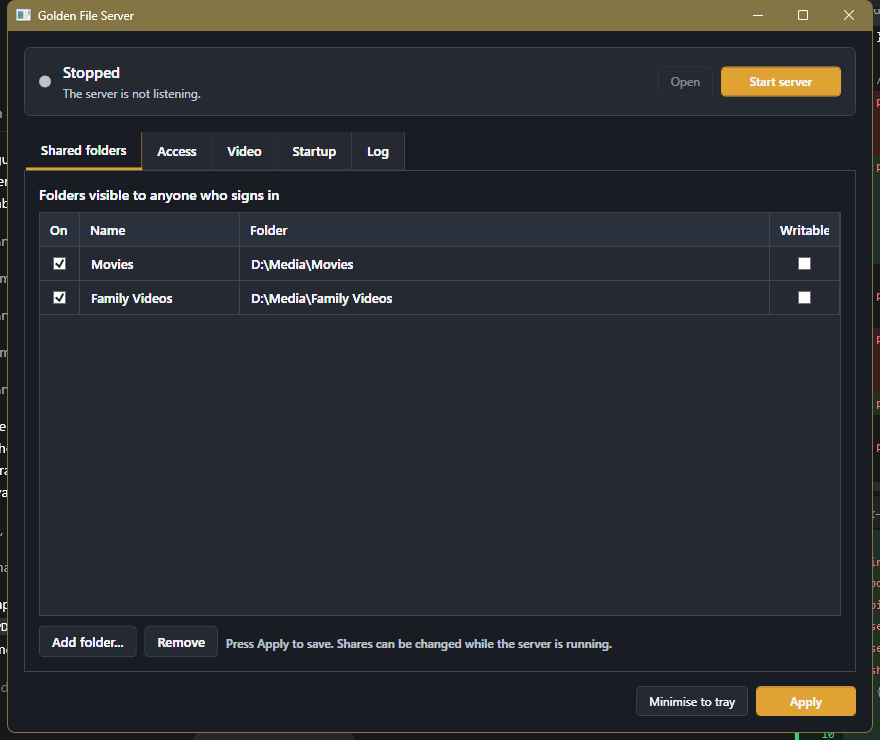
Open Shared folders, add only the media folders you want Gloss to see, then set a long, unique shared password under Access.
For home use, leave UPnP off and keep mDNS enabled for discovery. For remote use, enable UPnP. Gloss Media Server automatically turns HTTPS on and locks it while internet exposure is enabled.
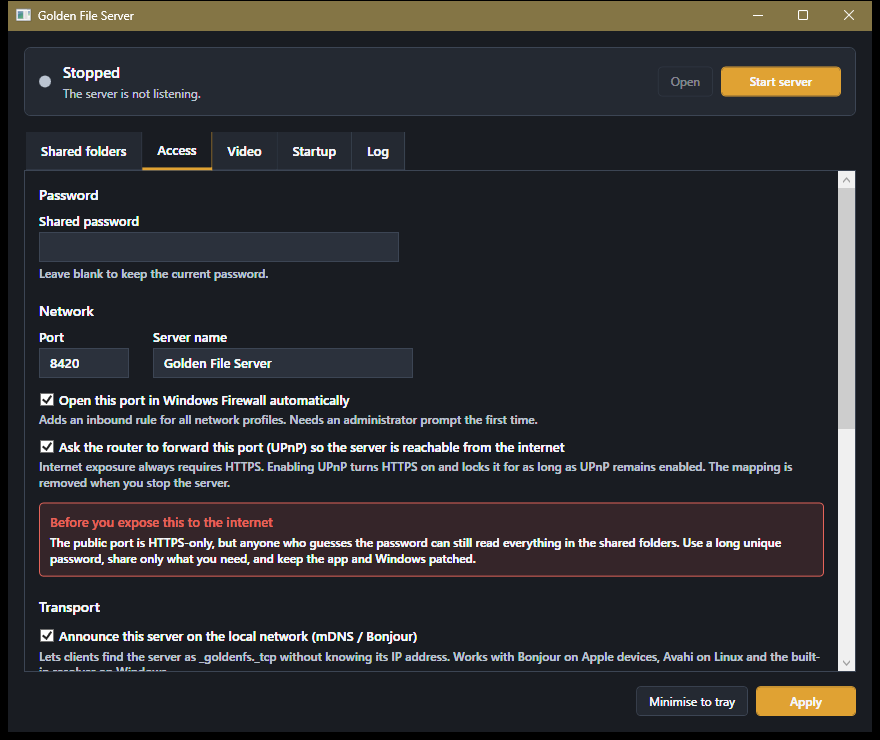
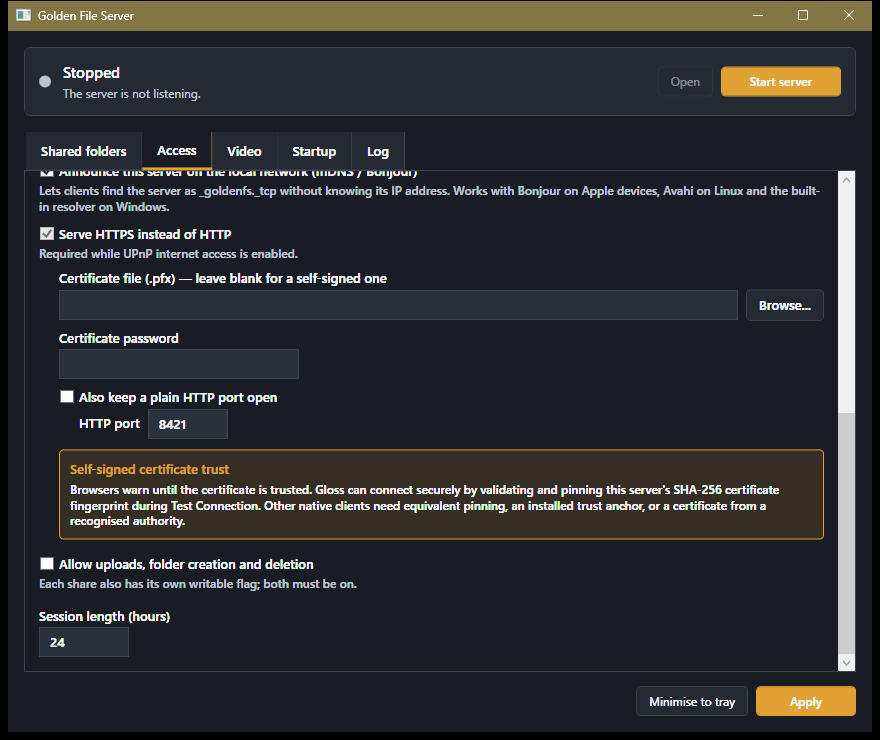
Leave the PFX field blank to let the server create a self-signed certificate, or select your own PFX certificate. Keep Also keep a plain HTTP port open off unless a LAN-only legacy client truly needs it.
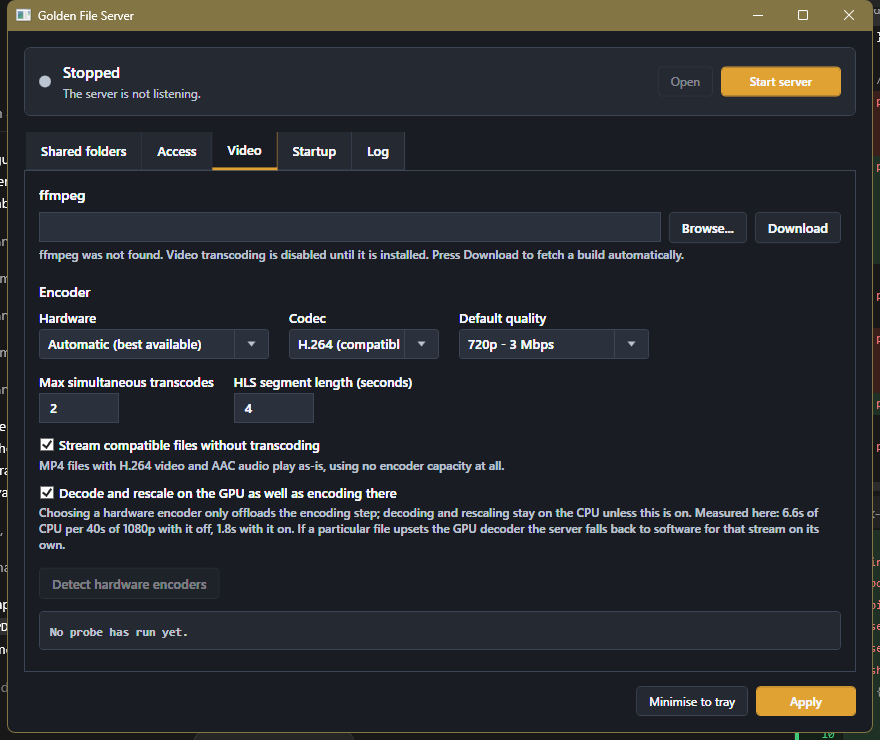
Open Video and press Download to install the managed FFmpeg build, or browse to an existing ffmpeg.exe. FFmpeg lets the server convert an original file into a smaller HLS stream when the source format or available bandwidth is not suitable for direct play.
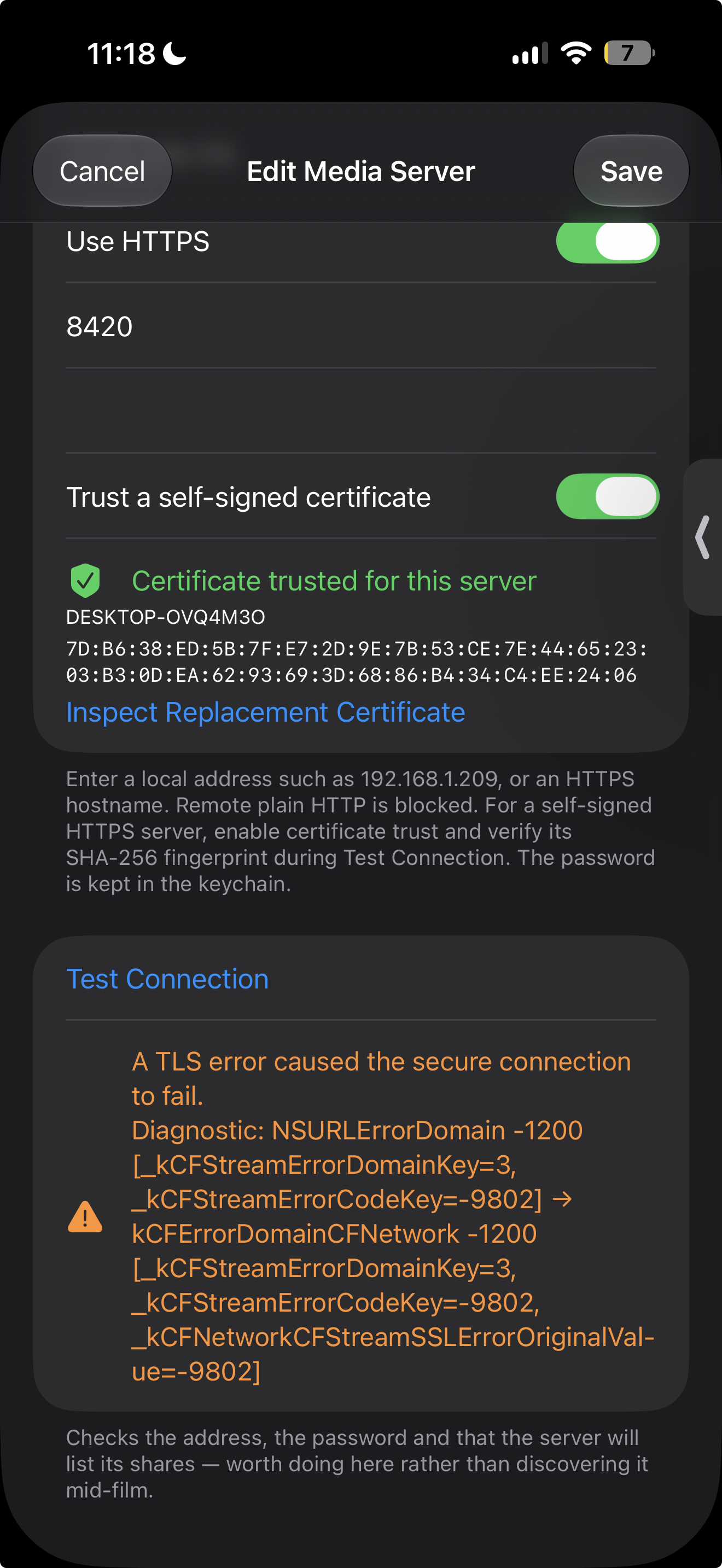
In Gloss+, add a Media Server with its address, port, and shared password. Turn on Use HTTPS. For a self-signed certificate, enable trust, run Test Connection, inspect the SHA-256 fingerprint, and accept it only if it matches your server.
Install it on the Windows computer that holds your personal video library, then connect from Gloss+ on iPhone.
initial release
47869659fc1207aa1486d0a152aad46c228d5e06d51592de5d2dc4368519a5eaFor the clearest Windows publisher identity, the installer should be Authenticode-signed by its publisher. The checksum above verifies that the downloaded bytes match the file published here.
Answers about local discovery, HTTPS, remote access, FFmpeg transcoding, certificates, and Windows downloads.
No. Leave it off when you only watch on the same home network. UPnP is solely for asking a compatible router to expose the server's HTTPS port to the internet.
Internet traffic crosses networks you do not control. HTTPS encrypts the shared password, folder listings, and media bytes in transit. The app refuses to create an UPnP mapping for a plain HTTP listener.
It provides encryption, but it has no public certificate authority vouching for its identity. Gloss solves that by showing and pinning the certificate's SHA-256 fingerprint during Test Connection. Verify replacement certificates instead of accepting them blindly.
Browsers do not automatically trust a self-signed issuer. That warning is expected. Gloss uses explicit per-server fingerprint trust; browsers and other clients need their own trust setup or a certificate from a recognized authority.
Common causes are carrier-grade NAT, two routers performing NAT, router UPnP restrictions, or an upstream firewall. Test from cellular data. If the router's WAN address differs from a public-IP lookup, ask the ISP about CGNAT or use a VPN/tunnel you trust.
Restart the server so it can discover the new public address and refresh a generated certificate when needed. A changed certificate has a new fingerprint, so Gloss will require you to inspect and approve the replacement.
Yes. Each installation has a unique discovery identity. Different computers may use the same local port; if more than one is exposed publicly, each needs a distinct external router port.
No. The built-in UPnP mapping publishes only the main HTTPS port. The optional HTTP listener is unencrypted; keep it off and never forward it manually.
Only for files that require transcoding. Compatible formats can use direct play. The Video tab can download ffmpeg and detect available hardware encoders.
HTTPS protects the download in transit, but Windows publisher trust comes from an Authenticode code-signing certificate and SmartScreen reputation. Check the SHA-256 value shown here and prefer a publisher-signed release.